Watchdogs: keeping rigs mining unattended
How to keep a rig mining by itself: the miner, script, driver and hardware watchdogs that restart a crashed miner or frozen rig, and how to check them.
What does a mining watchdog do?
A watchdog notices when a rig stops mining and restarts it without you. The goal is a rig that recovers on its own from anything short of hardware failure.
Rigs need one because they run hot, around the clock, at the edge of their tuning. Sooner or later a miner crashes, a GPU driver hangs or the machine freezes. Every hour a rig sits dark is income you do not earn.
Which software can restart a crashed miner?
Watchdogs work in layers. Software handles the first three:
- Miner level: modern miners restart their own GPU threads on some errors. On others they exit with an error code. Check your miner for its own watchdog flag.
- Script level: wrap the miner in a loop, so it starts again a few seconds after it exits. On Windows, two lines in the BAT file do it: a label and a goto.
- On Linux, the clean version is a systemd service with Restart=always.
- Driver level: a hung GPU sometimes needs a driver reset or a reboot. Mining operating systems like HiveOS ship this logic built in.
What restarts a frozen machine?
When the whole machine hard-freezes, only hardware can save it. A watchdog card, or the motherboard's own watchdog timer, reboots the machine if the operating system stops answering.
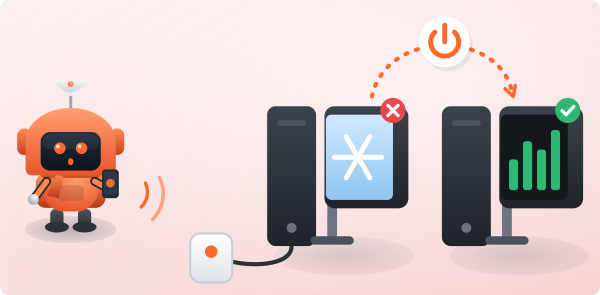
Farms use these as standard. For a home rig, a smart plug you can switch off and on remotely is the budget version of the same idea.
How do I know the watchdog is working?
Let the pool tell you. A watchdog that fails silently is worse than none.
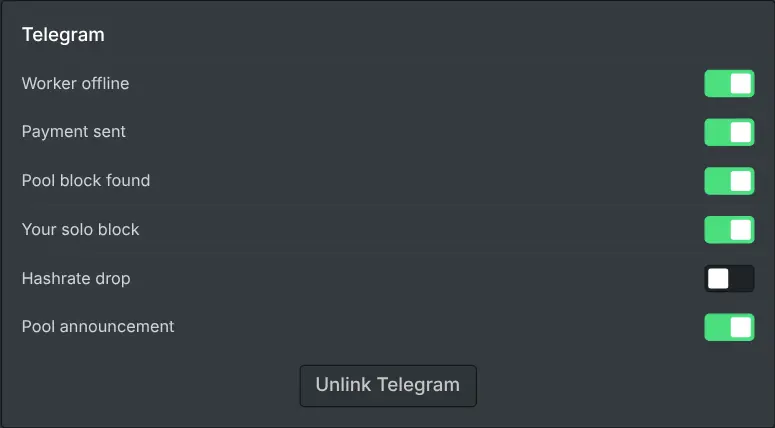
Turn on worker-offline notifications on your dashboard. If a rig stays quiet for a while, you get told.
Look at the notification history too. A worker that keeps going offline and back is a sign the watchdog is hiding a real problem worth fixing.