








Getting started with the pool API
Read live pool and per-miner stats from the public JSON API: the two endpoints, how to query your own address, and how often to poll.
What can I do with the pool API?
The pool has a public, read-only JSON API that serves everything the dashboard shows. It needs no key and no account.
You can use it to build your own monitoring, a home dashboard, a bot, or a spreadsheet that tracks your mining. It gives you two kinds of data:
- Pool-wide stats: hashrate, network difficulty, blocks and payments.
- Per-miner stats for any address.
How do I get the pool-wide stats?
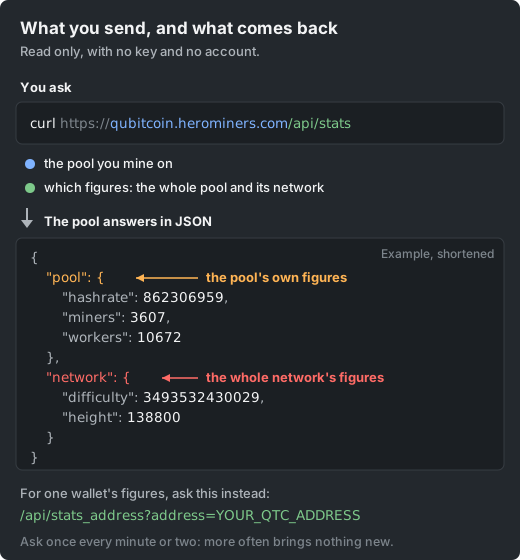
The pool stats endpoint returns the same figures you see in the header and on the dashboard:
- Pool and network hashrate.
- Connected miners.
- Difficulty.
- The last blocks.
- Recent payments.
Fetch it like any JSON URL:
curl https://qubitcoin.herominers.com/api/statsHow do I get stats for my own address?
To read one address, pass it to the miner stats endpoint. Replace YOUR_QTC_ADDRESS with your wallet address.
The response holds that address's hashrate, workers, balances and recent payments. It is the raw data behind your dashboard page:
curl https://qubitcoin.herominers.com/api/stats_address?address=YOUR_QTC_ADDRESSHow often should I poll the API?
Once every minute or two is plenty. The API is there to be used, but poll it politely.
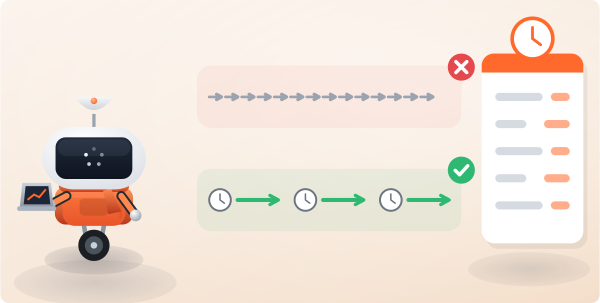
The numbers behind it only update every so often. Polling far more often wastes bandwidth on both sides and gives you no fresher data.
Cache what you fetch. Build around the same update cadence the dashboard uses.