








Changing DNS for mining connectivity
Why a DNS problem stops a miner connecting, which public DNS servers to use, where to change them on a PC, router or rig, and how to test the fix.
What DNS has to do with mining
If your miner says "host not found" or hangs on connect, try changing your DNS server. It takes minutes.
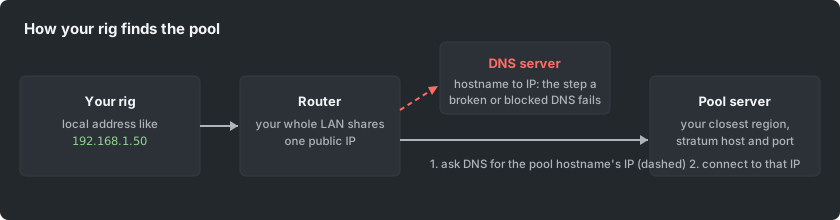
DNS is the lookup that turns the pool's hostname into an IP address. Your rig must do it before it can connect.
Some ISP DNS servers are broken or slow. Some deliberately refuse to answer for mining domains, which is a common soft-block. Then the miner fails even though the pool is fine.
Which public DNS server to use
These are the widely used public resolvers. A resolver is the server that answers DNS lookups.
- Cloudflare: 1.1.1.1 and 1.0.0.1
- Google: 8.8.8.8 and 8.8.4.4
- Quad9: 9.9.9.9
Any of them replaces your ISP's resolver. Pick one and enter both its addresses as primary and secondary.
Where to change it
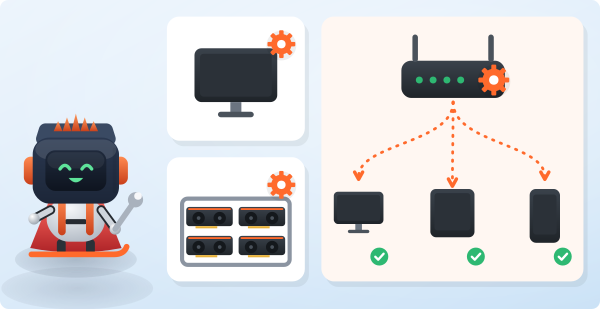
- One PC: open the network adapter settings, then IPv4 properties, and set the DNS servers manually.
- Whole network: use the router's DHCP or WAN settings. Every device behind it takes the change on its next lease.
- A rig running a mining OS: the OS network settings screen has a DNS field.
Note that changing DNS does not hide your traffic. If the block goes deeper than DNS, use the pool's alternative routes and proxy. Both are described on the How to Mine page.
How to test the fix
- On the affected machine, look up the pool hostname with nslookup or ping on the command line.
- An answer with an IP address means DNS is fixed.
- Start the miner and confirm the connect line in its console.
If the lookup works but connecting still fails, the problem is not DNS. Check the port, your TLS choice and the firewall next.