








Why antivirus flags miners, and what to do
Why antivirus flags mining software, where to download a miner safely, and how to exclude a miner you chose to run without opening a big hole.
Why does antivirus flag mining software?
Criminals really do hide miners in cracked software, to mine on victims' machines. The scanner cannot tell whether you chose to run a miner or a trojan planted it. So it flags the whole category.
The flag is usually "PUA" (potentially unwanted application), and sometimes malware. A flagged miner is not proof the file is malicious. It is proof the file mines.
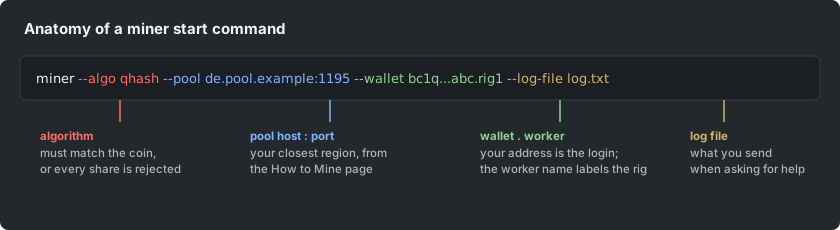
Where should you download a miner?
Download miners only from the developer's official releases page. Your real protection is provenance: knowing where the file came from.
- Never use a forum re-upload, a YouTube link or a "fixed" build.
- Check the release's checksum where the developer publishes one. A checksum is a fingerprint that shows the file was not changed.
A miner from anywhere else can genuinely carry the exact payload the antivirus warns about.
How do you exclude a miner properly?
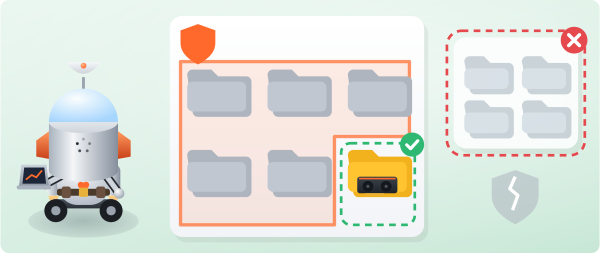
- Add an exclusion in your antivirus settings for the miner's own folder, not a whole drive.
- Ideally, do it before the first unzip, so the scanner does not quarantine files out of the archive.
- On Windows Defender, open Virus and threat protection, then Manage settings, then Exclusions.
- If files were already removed, download the miner again after setting the exclusion.
How do you stay safe with an exclusion?
An exclusion is a hole in your shield, so keep it small:
- Keep only the miners you use, in one dedicated folder.
- Never exclude download folders.
- Never exclude the whole system.
If a machine you did NOT set up is mining, that is not a false positive. Investigate it as the infection it probably is.